Paid Audience Spec Builder: From One Persona to Targeting That Can Actually Run
The Paid Audience Spec Builder turns one persona into the targeting LinkedIn, Meta, Google and Microsoft Ads each need. Before you spend, it checks two things: whether each audience or list clears the platform’s own minimum size, and whether your budget can finish a test in time.
 Saroj Jha October 11, 2026 7 min read Share
Free. No spam — just the template (and the occasional growth playbook). Unsubscribe anytime.
See the worked exampleExcel .xlsx, opens in Google Sheets · No macros · Free · Pre-seed to Series B
Most paid campaigns I review were set up from memory: a persona in a slide, a few interests ticked in the ad platform, and a test that could never reach a result on the budget behind it. The audience was too small to serve, or so small that the test used it up before it could be read.
This builder puts the persona, the platform settings, the minimums and the test arithmetic in one file, with every platform rule linked to the platform’s own page and dated. Use it before you spend, and log each test you then run in its companion, the Paid Media Test Log.
What’s inside
- Persona in. Sixteen fields for one persona, including the vertical, named target companies, a contact list you can upload, and where the persona comes from.
- Specs out. The settings for LinkedIn, Meta, Google Search, Google Demand Gen and Microsoft Advertising, each with a note on how the platform treats it: a hard limit or a suggestion it can go beyond.
- Feasibility. Each audience or list against the platform’s minimum, from your list size and your own match rate, or the platform’s own estimate. An “Other platform (for example Reddit)” row takes a minimum you enter yourself.
- Can it learn. Up to three scenarios: clicks and conversions per variant, days to read the test, and the share of the audience it would use.
- Platform rules. Every rule the file relies on, with the platform’s wording, the link, the date on the page and the date it was checked. A rule turns red 90 days after its check.
- Example Co. (fictional). The whole file filled in, with live formulas.
How to use it, step by step
- Describe the persona (15 minutes). Start from the Three-Lens Persona Brief or the ICP Fit Scorer, and use only what interviews, won deals or your CRM back up. Leave a field blank rather than guess.
- Copy the specs (20 minutes). Copy each value into the platform and keep the exclusions.
- Check each audience clears the minimum (10 minutes). Enter list sizes and the match rate you expect from your own past uploads.
- Check the budget can learn (10 minutes). Enter the audience, monthly budget, cost per click, conversion rate and the smallest lift worth detecting.
- Re-check the platform rules every 90 days. Open each link, update the number and the date, and the Feasibility sheet follows.
How the Can it learn sheet reads a test
| Read | When | Whose rule |
|---|---|---|
| Too slow | The test needs more than 3 months to read | AAJ’s rule |
| Exhausts the audience | More than 50% of the audience would need to click | AAJ’s rule |
| Too few conversions | Below 10 conversions per variant | The ad-creative-testing engine’s floor |
| Slow | Longer than 28 days | The engine’s default planning limit |
| Can learn | None of the above |
Do this: enter your own match rate, not a number from a blog post. A list that clears the minimum can still be too small to learn from.
Worked example: Example Co.
Running case · Example Co. (fictional)
The running case: Example Co. (fictional). Example Co. sells an AI code-review assistant to engineering managers at Series A SaaS companies. Every figure in its example is illustrative; the only real numbers in the file are the platform minimums on the Platform rules sheet.
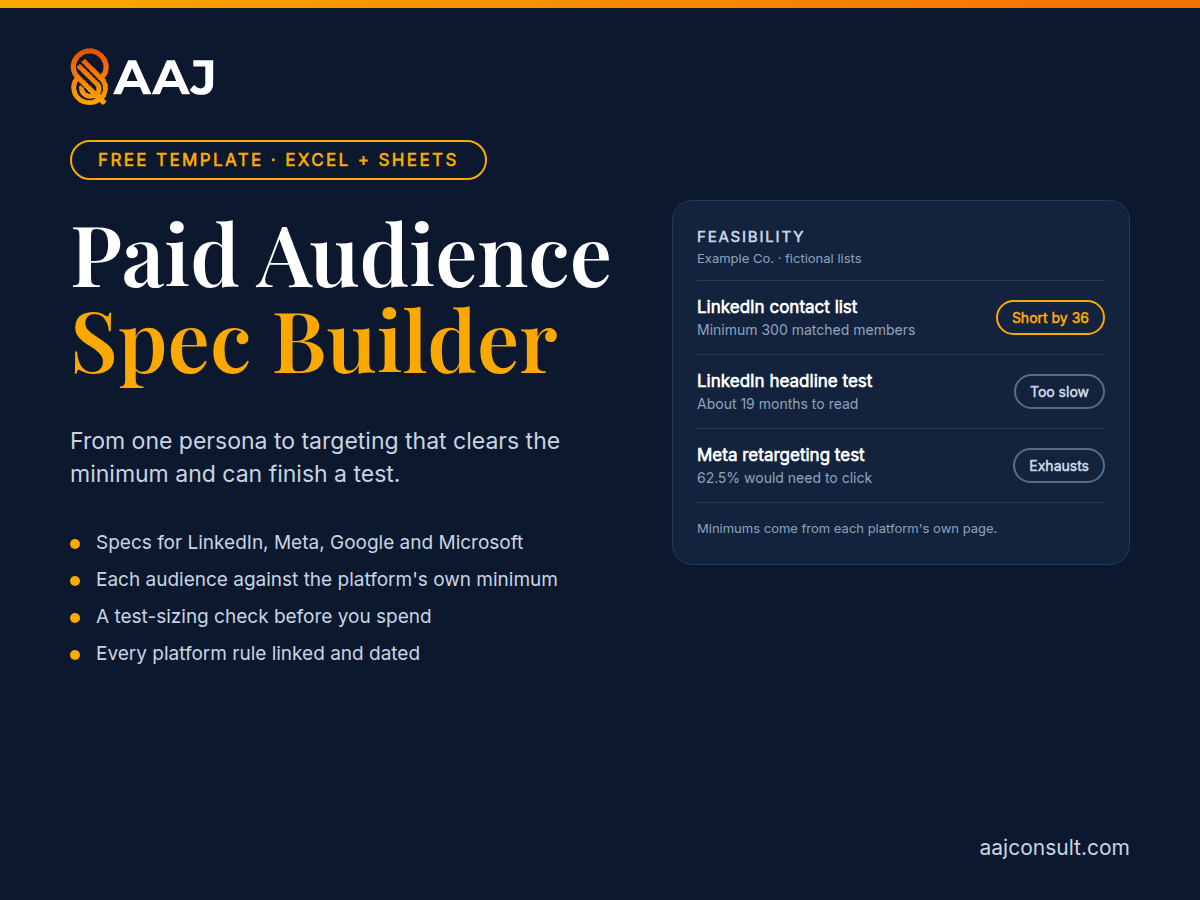
- Feasibility: its LinkedIn contact list falls 36 members short of the 300-member minimum, so the sheet reads “Short by 36”.
- Can it learn: a LinkedIn headline test would need about 19 months at this budget (“Too slow”), and a Meta retargeting test would need 62.5% of the audience to click each month (“Exhausts the audience”). One of the three scenarios can learn in time.
Example Co., what it does next. It drops the LinkedIn headline test and plans a bigger change there instead, and it widens the Meta audience beyond website visitors before testing there.
Who it’s for
Founders and first marketers at seed to Series B startups who are about to put money into paid social or search for a B2B, AI, EdTech or MedTech product, and want to know before launch whether the audience can serve and the test can finish.
Use this on AAJ
- Paid Media Test Log: log each test, read it once on the date you set, and see what your budget taught you.
- Three-Lens Persona Brief: the persona this file starts from.
- ICP Fit Scorer: score the accounts behind a company list.
- A/B Test Significance Calculator: size the test, then read it.
- Paid Media Budget Allocator: set each channel’s budget first.
- LinkedIn Ads for B2B Startups and Meta Ads for Startups: how to run each channel.
- Digital Advertising Playbook: the wider paid plan.
- Ad Creative Testing skill: the test-sizing rules used here, run by your AI agent.
Frequently asked questions
What is the minimum audience size on LinkedIn, Meta and Google?
As checked on 11 October 2026: LinkedIn says a campaign's target audience must have at least 300 members; Meta says you can build a lookalike from a custom audience of at least 100 people; Google says a data segment needs at least 100 active users in the last 30 days to serve on Search, YouTube and Display. The workbook's Platform rules sheet links each page and turns a rule red 90 days after it was checked.
Does it cover Reddit?
Not with AAJ’s own numbers. Reddit’s help pages could not be read for this file, so it states no Reddit setting or minimum. If you plan Reddit, use the “Other platform (for example Reddit)” rows and enter the minimum and settings from Reddit’s own help pages. That row is not verified by AAJ; check it before use.
Why not just aim for 30 conversions per variant?
Because the number you need depends on your conversion rate and on the smallest change worth detecting. The Can it learn sheet sizes each test with the same two-proportion formula as AAJ's A/B Test Significance Calculator and ad-creative-testing skill, then tells you whether your budget can read it in time.
Where do the match rates come from?
From you: your own past uploads or the platform's upload report. The file holds no match-rate benchmark. Where the platform shows its own audience estimate, enter that instead and it replaces the calculation.
Does it cover health, financial or under-18 audiences?
It flags them before you build. For MedTech and EdTech, the Start here sheet points to each platform's own rules on restricted categories, health data and under-18s. That is orientation, not legal advice; check how they apply to you with counsel.
Is the template free, and what format is it?
Free, in exchange for an email address. It is an Excel .xlsx that opens in Excel and Google Sheets, with no macros.
Check the audience before you spend
Excel .xlsx, opens in Google Sheets · No macros · Free
Sources
- LinkedIn Marketing API documentation. Build an Ad Campaign (300-member minimum). learn.microsoft.com
- Meta Marketing API documentation. Lookalike Audiences (100-person source). developers.facebook.com
- Google Ads Help. About your data segment compatibility (100 active users). support.google.com
What this resource helps you do
Turn one persona into LinkedIn, Meta, Google and Microsoft Ads targeting, check each audience clears the platform's own minimum, and check your budget can finish a test before you spend.
Get the builder from AAJ's free marketing templates library.
More in Paid Media
Part of the Paid Media hub - see all 17 resources on this topic.
- AI agent skill: Channel Selection & Testing
- Free tool: Channel Test Budget Calculator
- Playbook: Demand Gen & Performance Marketing Playbook
- AI agent skill: Paid Media Budget Allocation
Also useful in Audience & Customer Research.